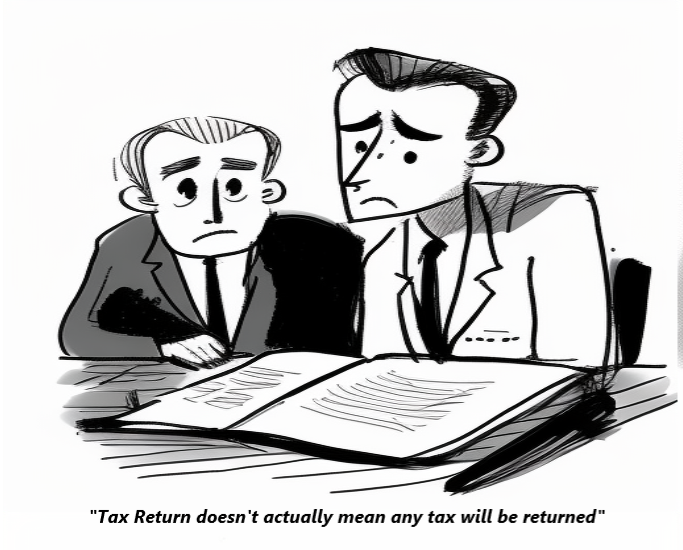
If you’ve recently completed your first Self Assessment tax return and received a bill that seems almost double what you expected, you’re not alone. Many taxpayers are caught off guard by “payments on account” – but once you understand how they work, they make perfect sense.
What Are Payments on Account?
Payments on account are advance payments towards your next year’s tax bill. Think of them as HMRC’s way of spreading your tax payments more evenly throughout the year, rather than facing one large bill.
When you complete your Self Assessment tax return, you’re actually making three payments:
- The balancing payment – any remaining tax owed for the previous tax year
- First payment on account – an advance payment towards next year’s tax (due 31 January)
- Second payment on account – another advance payment towards next year’s tax (due 31 July)
How Are Payments on Account Calculated?
Each payment on account is set at 50% of your previous year’s tax bill. For example:
- Your 2023/24 tax bill was £4,000
- Your first payment on account (due 31 January 2025) = £2,000
- Your second payment on account (due 31 July 2025) = £2,000
- Total payments on account = £4,000
When you file your 2024/25 tax return in January 2026, HMRC will calculate your actual tax liability. If it’s more than the £4,000 you’ve already paid on account, you’ll pay the difference as a balancing payment. If it’s less, you’ll receive a refund.
What If Your Income Has Increased?
Here’s an important point that catches many people out: if your profits are higher next year, your payments on account won’t fully cover your tax liability.
Using our example above, let’s say your 2024/25 tax bill turns out to be £6,000 instead of £4,000:
- You’ve already paid £4,000 through your two payments on account
- When you file your return in January 2026, you’ll owe a balancing payment of £2,000
- Plus you’ll need to make your first payment on account for 2025/26 of £3,000 (50% of £6,000)
- That’s a total payment of £5,000 due on 31 January 2026
This is why it’s crucial to set aside money throughout the year if your business is growing. The payments on account system is based on your previous year’s profits, so if you’re experiencing growth, you need to plan for a larger bill than just your payments on account.
Who Has to Make Payments on Account?
You’ll need to make payments on account if your last Self Assessment tax bill was over £1,000, and less than 80% of your tax was collected at source (through PAYE or deductions from savings interest, for example).
You don’t need to make payments on account if:
- This is your first tax return
- Your previous year’s tax bill was under £1,000
- More than 80% of your tax was already deducted at source
What If Your Income Has Dropped?
If you know your income for the current year will be significantly lower than last year, you don’t have to overpay. You can apply to reduce your payments on account through your HMRC online account or by contacting them directly.
However, be cautious. If you reduce your payments on account and it turns out your actual tax bill is higher than you paid, you’ll face interest charges on the underpayment.
Key Dates to Remember
- 31 January – Deadline for filing your tax return, paying any balancing payment from the previous year, AND paying your first payment on account for the current year
- 31 July – Deadline for your second payment on account
This is why that January tax bill can feel so painful – you’re potentially paying 150% of your previous year’s bill in one go (the balancing payment plus the first payment on account). And if your income has increased, that percentage can be even higher.
Planning Ahead
The key to managing payments on account is planning:
-
Set money aside regularly – Don’t wait until the deadline. Put aside money each month to cover both your balancing payment and payments on account. If your business is growing, put aside more than last year.
-
Monitor your profits – Keep track of your income and expenses throughout the year. If you’re on track for significantly higher profits, start saving extra now to avoid a nasty shock in January.
-
Keep good records – If your income fluctuates, maintain clear records so you can accurately assess whether to reduce your payments on account.
-
Consider a budget payment plan – Some taxpayers find it helpful to set up a standing order to a separate savings account, treating their tax like a monthly bill.
-
Seek professional advice – If you’re unsure whether to reduce your payments on account, or if your tax affairs are becoming complex, speaking with an accountant can save you money and worry.
The Silver Lining
While payments on account might seem like an unwelcome surprise, they actually help you spread your tax payments across the year. Once you’re in the system, you’re essentially paying tax in a similar way to employed people – regularly throughout the year rather than in one large sum.
The important thing is to understand how they work and plan accordingly. With proper planning, payments on account become just another manageable part of running your business or managing your self-employed income.
“Disclaimer: Paul Stankiewicz is the owner and principal at Paul Marks & Co Chartered Accountants which is the trading name of Paul Marks Ltd a Limited Company registered in England and Wales (registered number 4487645).This article is designed for the information of readers only and is the opinion of the author only. Readers should not act on any of the information contained in this article without seeking professional advice. Nothing in this article constitutes advice, nor does the transmission, downloading or sending of any information or the Material create any contractual relationship. Links to third party websites are provided as a convenience to the reader, Paul Marks Ltd does not control and is not responsible for any of those websites or their content. Paul Stankiewicz and Paul Marks Ltd accepts no liability or responsibility whatsoever for any loss or damage suffered by any user of the information contained on or accessed through this article or the Material downloaded.